

There are many brands available for the 4G LTE network, and Network providers and Android phone brands provide multiple LTE bands. Sometimes, users face slow-speed network problems when phones switch bands. MediaTek users can lock LTE Bands by MTK Engineer Mode, also Samsung smartphone users can lock bands via Service Code, but Snapdragon Android Phones are hard to change. Here we will guide you on how to lock the LTE Band in Qualcomm Snapdragon Android Phones with the Network Signal Guru app.
Qualcomm innovated LTE 4G, CDMA, WCDMA, and other wireless devices. Ninety per cent of Android phones use Qualcomm Snapdragon chipsets because of their quality and innovation. Qualcomm Snapdragon, the only chipset provider of 4G LTE, speeds up to 1gbps, and Qualcomm was the first to develop a 4G LTE chipset for smartphones. After Qualcomm, Huawei, Kirin, and Samsung Exynos developed a 4G LTE chipset, MediaTek also developed a 4G LTE chipset.
Key Takeaways
- Users with Qualcomm Snapdragon Android Phones can improve network speed by locking specific LTE bands using the Network Signal Guru app.
- Qualcomm dominates the Android chipset market, providing quality and innovative 4G LTE solutions.
- The article provides a detailed, step-by-step guide on how to lock the LTE Band in Snapdragon devices.
- Preparation involves rooting the device, having a Wi-Fi connection, and downloading the app to lock LTE bands like 2300 Band 40 or 850 Band 5.
- The author shares personal settings for optimal speeds on Jio 4G network after locking specific bands.
Snapdragon Android Phones users can lock the band via QPST, but it’s too hard for beginners. But here is an app called Network Signal Guru for Snapdragon devices. Snapdragon Android Phones users can easily lock 4G LTE bands 2300 Band 40, 1800 Band 10, and 850 Band 5 to get better speed and network coverage. We will show you a step-by-step guide on how to lock LTE bands in Qualcomm Snapdragon Android Phones.
Preparation:-
- First, you have to root the device. You can find the root guide in our root section.
- A Wifi connection is required to apply the setting.
- 4G LTE SIM card to change the bands.
- Download the Network Signal Guru app and read our guides.


Guide to Lock LTE Band in Qualcomm:-
1. First, download and install the Network Signal Guru app from the Play Store on your Android phone.
2. Turn on wifi and connect to a Wi-Fi network nearby, then open the Network Signal Guru app and wait for the complete download of the config file.
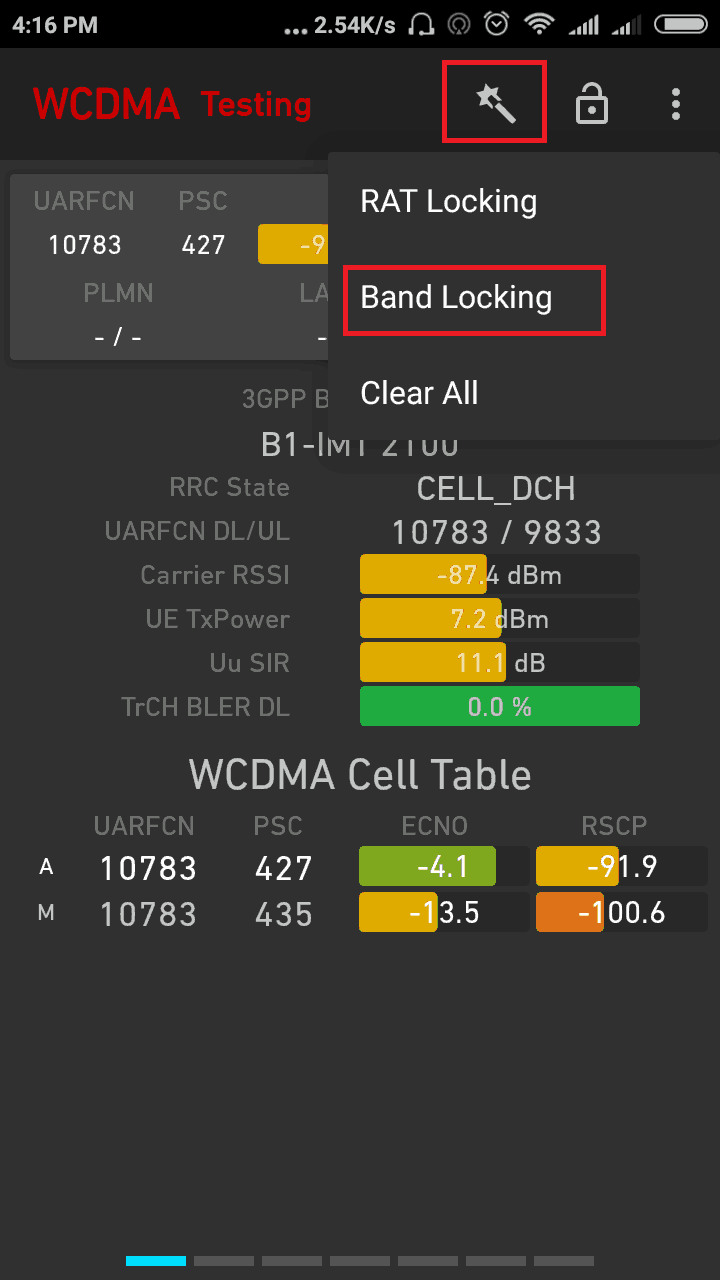
3. Now tap on the Magic icon, then tap band locking.
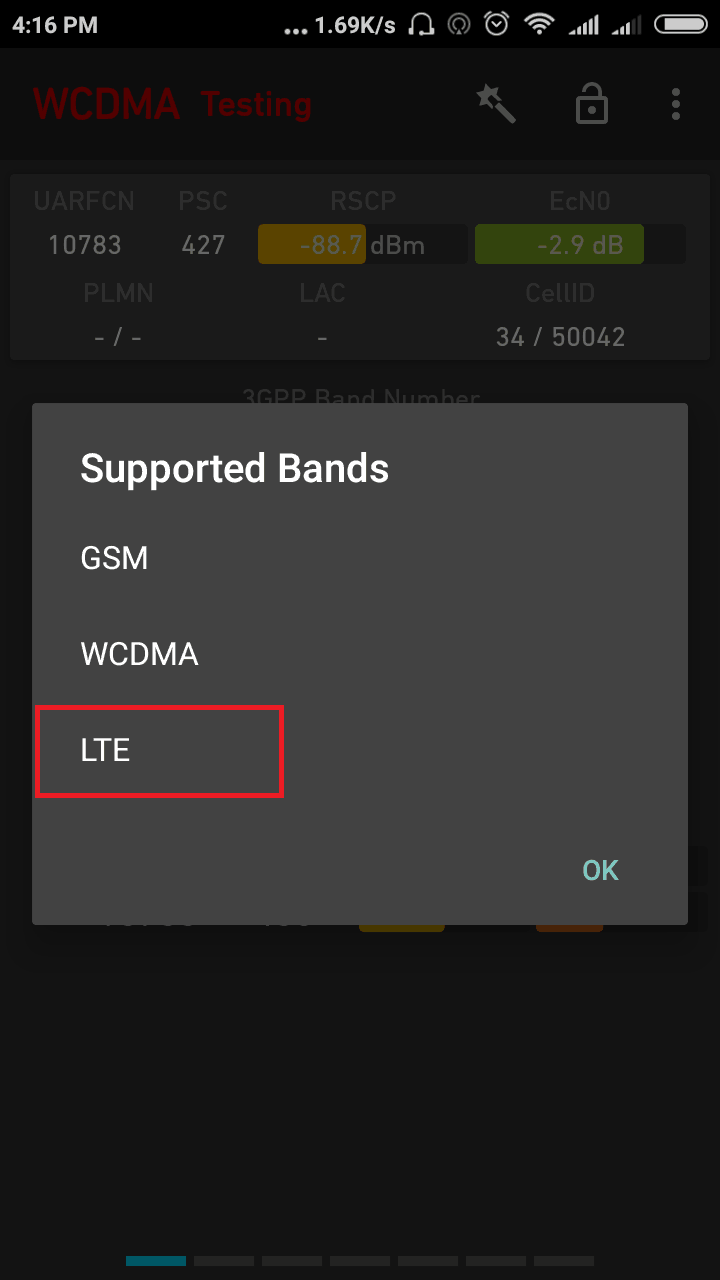
4. Now Select ‘LTE. Option to change the band.
5. Select a 4G band you like to lock I will suggest locking bands 2300 and 850 for India LTE networks like Jio and Airtel and 1800 for Vodafone.
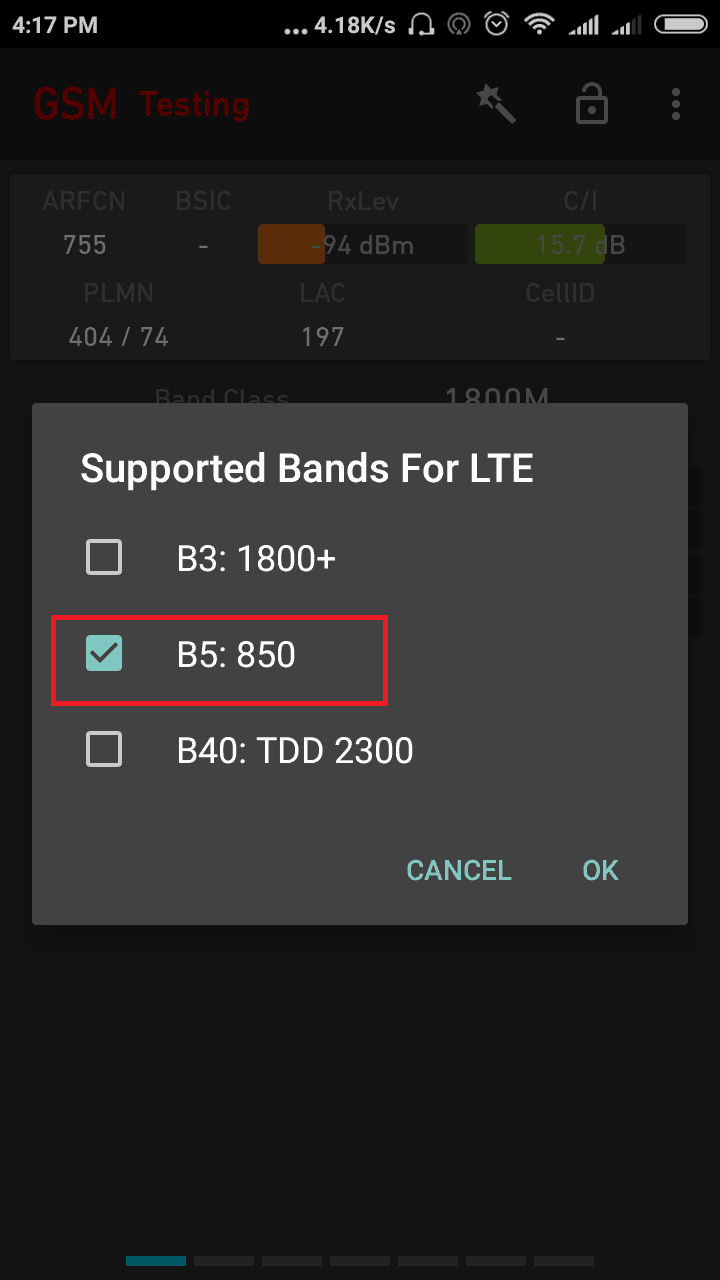
6. After locking the band, reboot your device to work it properly.
Here are my speed test results and coverage after I lock 850 bands inthe Jio 4G network.
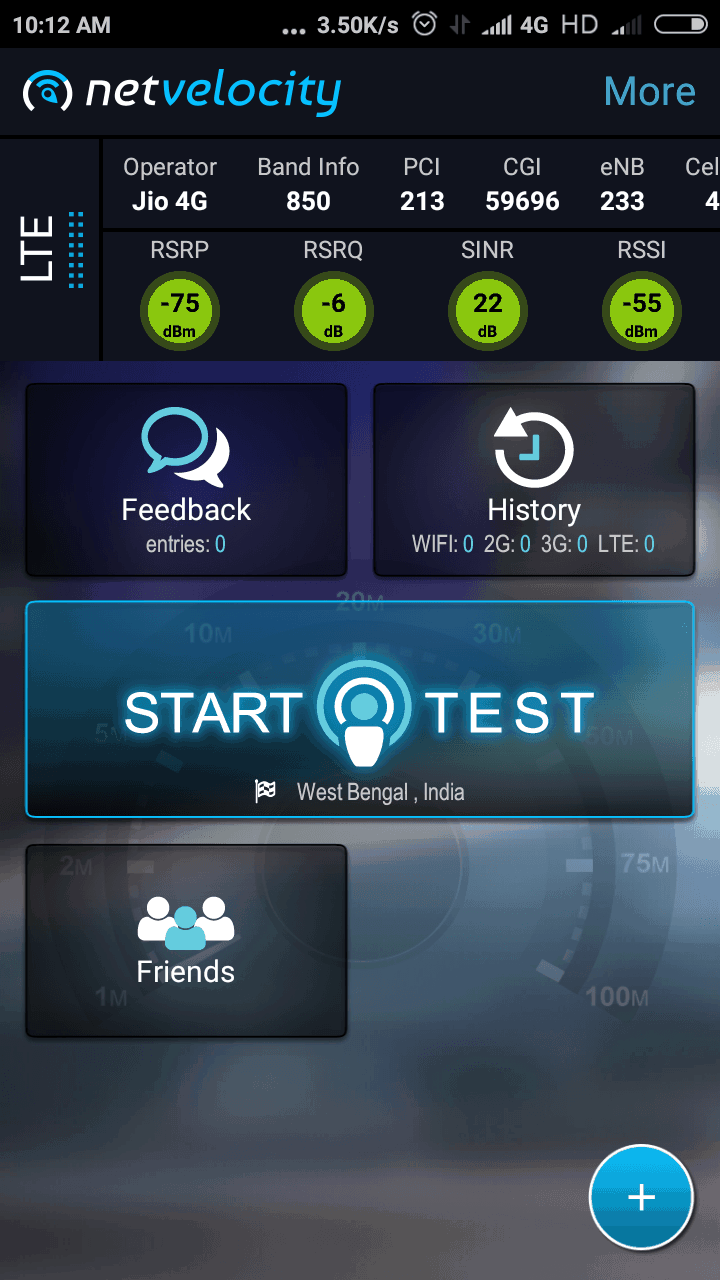
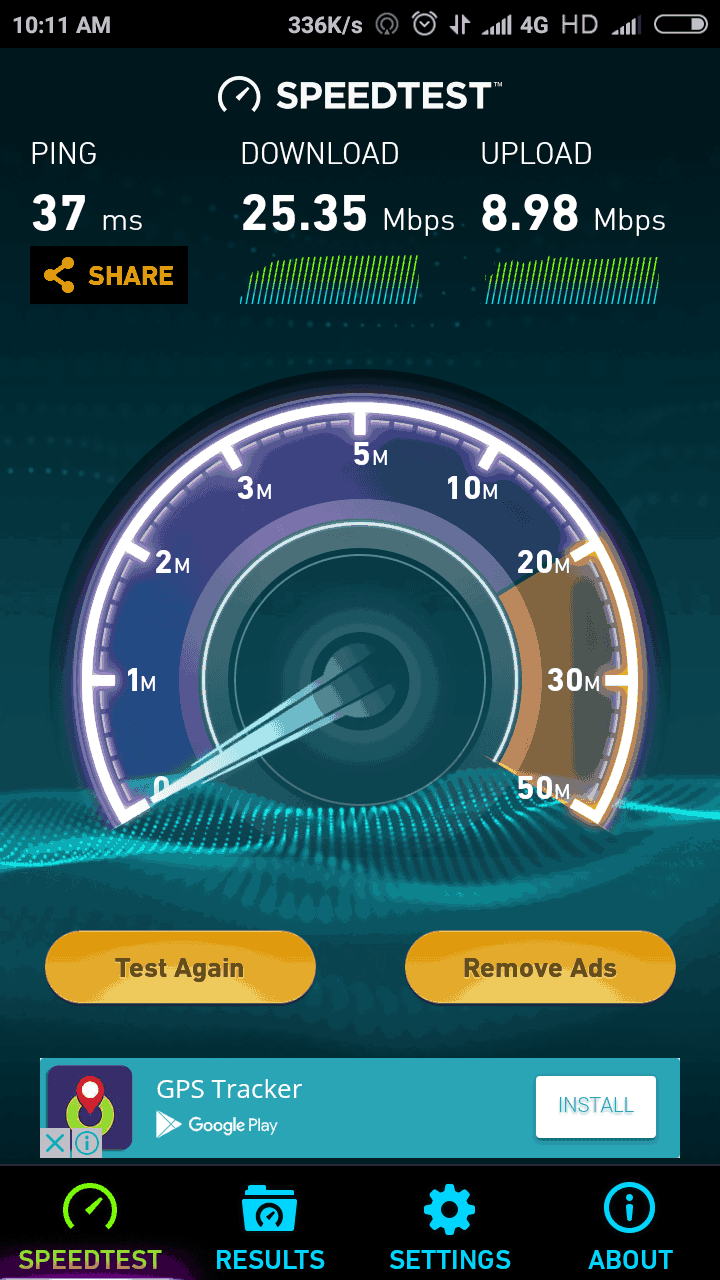
My Settings For JIO 4G VOLTE Network:
I really get bad speeds on band 2300+, that’s because most of the smartphones lock their network bands mostly on 2300. So I kept the BAND 3 (B3) 1800 and BAND 5 (B5) ON and disabled the B40 (2300) band. Now I get stable speeds. You can try changing settings based on the speeds you are getting!! Have a good day, comment below if you need any help!!
More Guides:-
- Fix 4g (LTE) Issue On OnePlus One with Cyanogen OS 12.1
- Download Samsung Keyboard APK For Any Android Phones
- Repair IMEI of Snapdragon Device Xiaomi, Zte and others
- How to Watch 4K and 2K Videos On YouTube In Any Android Phone
If you need any help related How to Lock LTE Band in Qualcomm Snapdragon Comment Bellow in our Comment section







no kork
working in Snapdragon devices
How to reset band in snapdragon
My network is not working properly
on the latest version of Network Signal Guru, there’s no magic icon.On the top right by pressing the three dot icon,we have ‘forcing control’ & from there if i select LTE, there’s an error.
Some Snapdragon chip supported mobiles may have band selection in USSD code gateway engineering mode