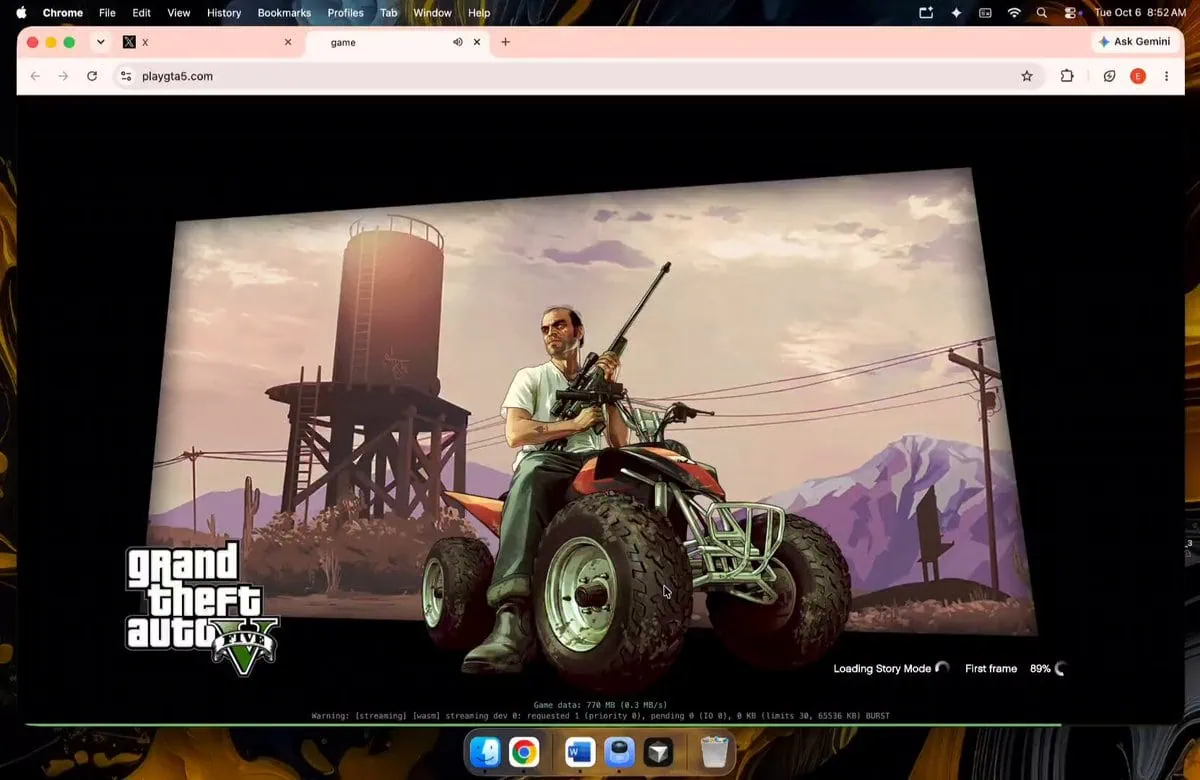
Playing Grand Theft Auto V used to take up 170 GB of storage and involve a long wait for an installation. This week someone made something different happen. A community project called PlayGTA5 went live, where you can play GTA 5 in your browser, no download involved, no need for a streaming subscription and no waiting in line. Within hours it was up, overwhelmed by traffic and offline just as quickly as it appeared. Yet it did happen and it did actually run.
The key is WebAssembly: instead of streaming video directly from servers like GeForce Now, browsers compile core engine code to WebAssembly and pass graphics through WebGL or WebGPU so that the game runs on your hardware. The project was heavily assisted by AI tools. First open boot loads roughly 700 MB of compressed assets into browser memory. Story Mode with prologue and early missions for Franklin exists along with separate Sandbox mode for fun. If you missed the chaos, the short version is that you can play GTA 5 in browser form – no install, no console, no waiting.
What You Need to Play
A plain desktop browser handles it. The essentials:
- Chrome, Edge or Brave on desktop (Chromium builds handled it best during testing)
- A GPU with modern WebGL or WebGPU support
- Around 8 GB of RAM
- A steady connection, since assets keep streaming while you play
- Roughly 700 MB of free browser cache for the first boot
How to Play GTA 5 in Your Browser
The steps are simple. Keep in mind the site is currently offline – these are the steps for when it comes back or a mirror appears.
- Open playgta5.com alternative link https://web.archive.org/web/20261006055917/https://playgta5.com/ in Chrome, Edge or Brave.
- Let the first load finish. The browser pulls around 700 MB of core assets before the menu appears, which can take a few minutes on slower connections. Keep the tab open.
- Choose Story or Sandbox Mode once the launcher settles.
- Play with keyboard and mouse. WASD moves, the mouse looks, and the usual GTA controls apply, though bind conflicts were reported during testing.
- Expect texture popping and the occasional physics hiccup during fast driving. The assets are aggressively compressed, so the game pauses and streams in higher quality chunks as you travel.
GTA 5 Browser Gameplay
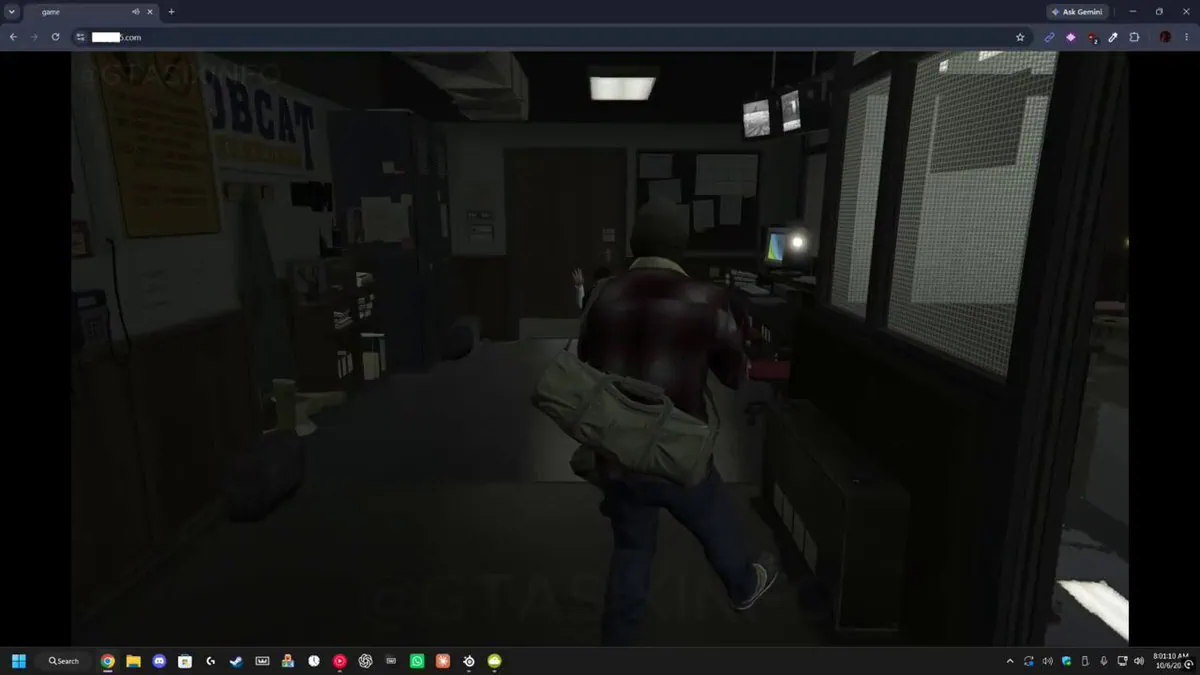
Here’s the viral video playing GTA 5 in a browser that set the internet ablaze. The video shows GTA 5 running on Chrome browser.
You can still play GTA V in browser after it taken down bless internet archive https://t.co/Hb0z6JItbo https://t.co/XwCHbaohod
— Qais (@qaisbuilt) October 6, 2026
That viral moment from October 6 is when this clip ran at near 60 frames per second on the M3 Pro machine from Apple inside Google Chrome and other testers with mid level desktop GPUs also reported smooth play with visible texture pops during high speed chases. Players also were able to boot it up on phone browsers like S25 Ultra and S26 Ultra using the same URL. The short takeaway: people really can play GTA 5 in browser on a phone as well, and the compressed visuals are the only real trade-off.
The Site Is Down Right Now
Right now playgta5.com returns an error: at the time of writing the host is down and the browser port is unreachable. Things moved very quickly: the project went viral on October 6 and thousands of users hit servers at once leading to bandwidth collapse and the site going dark within hours. At some point the page showed “Who wants the source code?” before finally going completely offline, and some users took that as a suggestion that the project will reappear elsewhere.
There is one way to get in while the servers are down: the Wayback Machine saved a snapshot of the site on October 6. You can try the archived version at web.archive.org snapshot of playgta5.com – keep in mind that a port this heavy may not fully boot from the archive, but the page itself is preserved there. If you still want to play GTA 5 in browser form right now, the archived snapshot is the only door that is open.
Let’s be realistic about the long term. Projects like this carry Rockstar and GTA branding openly, and Take-Two Interactive moves quickly on browser ports of its older games including GTA III and Vice City. When a browser project gets popular, a DMCA takedown becomes a matter of when, not if. Treat this as a fun experiment rather than as something permanent – the site may come back, it may change domain names, or it may not appear in this exact form at all.
Can You Play GTA Online in the Browser Port?
This will not happen. Story Mode and sandbox mode run locally but GTA Online totally relies on backend servers of Rockstar, login to Social Club, matchmaking and anti cheat. An unofficial browser build will get disconnected or banned instantly if it tries to touch that infrastructure. This is a single player experience.
GTA 5 Browser Port vs the Android Port
If you want to take GTA 5 with you, it’s not just about the browser experiment. We published GTA 5 to Android with full install guide, bundling a translation layer that runs authentic PC data on your phone GPU. The browser port needs around 700MB and you need Internet every session but the Android version takes storage space from 66GB to 165GB and runs at full PC quality offline.
| Details | Browser Port | Android Port |
| Install size | ~700 MB streamed | 66 GB to 165 GB |
| Plays offline | No | Yes |
| Controls | Keyboard and mouse | Touch and gamepads |
| Visuals | Compressed, low-poly streaming | Real PC textures |
| Stability | Server dependent | Runs locally |
Troubleshooting
A few things we saw people hit during playing GTA 5 in the browser.
- Site won’t load – the servers are overloaded or offline. Retry later, or look for an announcement of a mirror.
- Stuck at a loading percentage – standard for this port. The first boot legitimately takes minutes; leave the tab open and wait.
- Tab crashes – some experimental sandbox builds included leftover test geometry that could crash the browser. Reload and stick to Story or the stable sandbox.
- Low FPS – close other tabs, make sure hardware acceleration is on in Chrome, and lower the browser window resolution.