Realme is a Chinese smartphone brand specializing in Android devices. Every year, they launch Android smartphones and tablets. Realme also launched its product in Asia, European countries and Russia, and many people purchased it. If you are using Realme products, these service codes are required for language changes, network optimizations, sound adjustments, and other performance enhancements. In this post, we will share all the available Realme service codes and Secret Codes to access the Service Menu.
You can open the Service Menu with these Secret Codes on the Realme Android and Tablet smartphone. Support Realme smartphones, Unisoc, Mediatek and Qualcomm devices. With this code, you can increase volume, enter the engineering menu, factory mode, and the Service Menu.
Realme Service Codes and Service Menu
With Realme service codes, you can open the secret menu and Service menu. The service menu will help you to test the device’s hardware and software issues, also it will help you to customize the device with the help of the service code and secret code. You can test the Realme device audio issue, screen issue, touch issue, and other hardware problems. With the service menu, you can enable and disable the MTK Preloader Port, you can increase, and decrease the volume, also you can unlock the Realme bootloader with the service menu. Other network customization like locking the LTE band, locking network mode to 5G, 4G only, or 3G only. So let’s begin with the service codes.
View Firmware Version & Details
With the *#1234#, you can instantly view your device’s firmware version and build number. *#6776# to open “firmware version” on your Realme device. Know your Realme device region *#6776#, *#888#
More Firmware Version Code ⇒
- *#1234# OR *#*#1234#*#* Check firmware/build number
- *#6776# OR *#*#1111#*#* View full software details
- *#*#4986*2650468#*#* Check firmware versions for PDA, Phone, H/W, and RFCallDate
- *#6776#, *#888# device region
Realme Engineering Menu
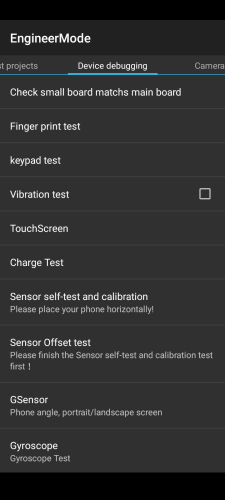
With the OnePlus Engineering Menu, you can test your hardware, change language, and check hardware and software versions. You can reset the phone and increase the volume of the earpiece and speaker. Not only can you lock the LTE and N1 band, locking network mode to 5G, 4G only, or 3G only, and many more.
Realme Service codes for Engineering menu ⇒##83781## or*#899# or *#*#83781#*#* or *#9434#.
More Engineer/Factory Mode Codes ⇓
- *#268# View Qualcommm settings
- *#888# View hardware PCB version & corresponding QR code
- *#9090# Diagnostic configuration
- *#*#2222#*#* FTA HW Version
- *#*#2663#*#* Touch screen version
- *#*#3264#*#* RAM version
- *#12580*369# Software and hardware information
- *#*#232337#*# Shows Bluetooth device address
- *#*#232338#*#* Shows WiFi MAC address
- *#*#1472365#*#* GPS
- # #273283 255 663282 # #* Quickly backup all your media file
Reset Realme Device
With the OnePlus Factory Reset code, you can reset your Phone Instantly. It will delete your user data, Phone Logs, Contacts, messages, and All Installed Apps.
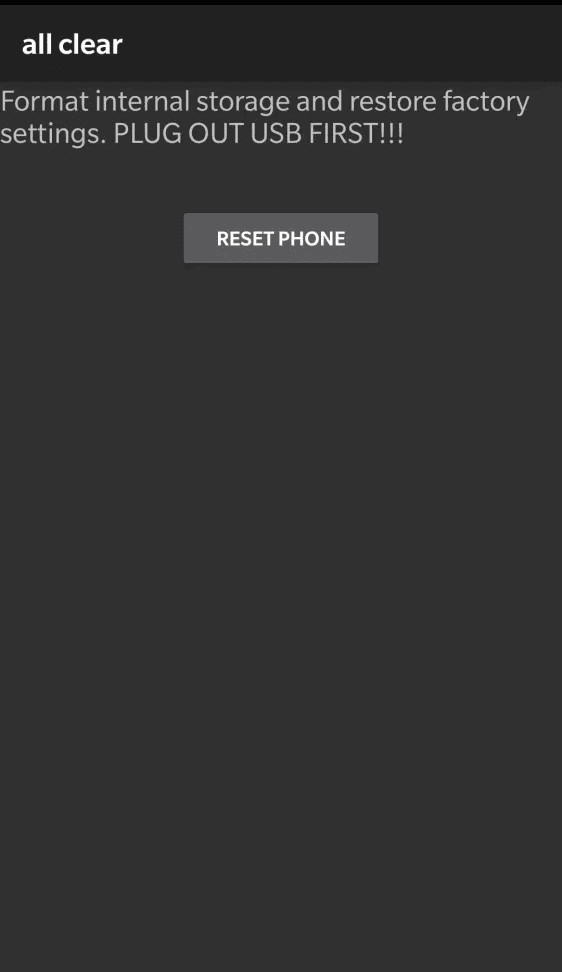
OnePlus Factory Reset codes ⇓
- *#8778# [ Resets the device, can be canceled ]
- *#*#7780#*#* [ Deletes your Google account, third-party apps, and all associated data. ] Can be canceled.
- *2767*3855# [ Completely erases the device and reinstalls the firmware ]
- *#*#947322243#*#* [ Instant data wipe, ATTENTION !!! Exit by booting into fastboot ]
Other Realme Service Codes
- *#6776# Phone information.
- *##4636##* Network information.
- *#800# Feedback.
- *#808# Phone test.
- *#805# Bluetooth test.
- *#809# Echo Test Menu.
- *#807#. Starts automatic test.
- *#803# WiFi test.
- *#806# Another phone test.
- *#802# TTFF information.
- *#888# PCB number.
- *#06# Email information.
- *#66# Second email verification code
- *#99# Enables Always Screen mode. Can be enabled and disabled by entering a code.
- *#8778# or *##8255##* factory reset.
- ##3646633## Engineering menu .
- *#899# Another code to enter the test engineering menu.
- *#36446337# Full engineering menu with additional settings.
- ##365001## Debug Logger UI.
- ##2627## Enables the test mode for alerting the population. Enabled and disabled by entering the code . Disabled by default.
- ##426## Shows information about where Google applications access the Internet.
- *#1234# Shows the firmware version.
- *#9434# Checks if the engineering menu is unlocked in the phone . Red no, green yes.
- *#564# Enable/disable logging in Chinese.
- *#643223# Development Settings.
- *#67767# Hardware version.
- *#8011# This command is only for debugging, please reset adb switch in development options to fix it ALL,ALL,1.
- ##225## Google Calendar.
- *#008# Nothing will appear, all the text will just change to Chinese and that’s it.
- *#07# SAR Level check. On Android 11, it showed a value, but on Android 12, it shows zero.
Conclusion
In summary, Realme service codes allow you fast access to some secret menus, as well as hardware test, and network settings, which are unavailable from the standard Settings menu; therefore they can be of a big help to advanced users, and specialists in this field. Please use all service codes with care, do not change any settings, if you don’t know what it is for, and always make backup of your important data, when you reset something, or doing a deep changes in your system, so that you will not face unexpected problems with your Realme phone.