In Short
- AeroWitter APK lets you customize your Twitter experience with features like video downloads and an ad-free timeline.
- The app has various color themes including Blue, Gold, Red, and more for personalization.
- Users can choose between a cloned version of AeroWitter that works alongside official Twitter or a main app with no access to Twitter.
- To install, download the APK file, enable unknown sources, and enjoy customization of your Twitter feed.
- AeroWitter is a great choice for power users looking for enhanced features and a user-friendly interface.
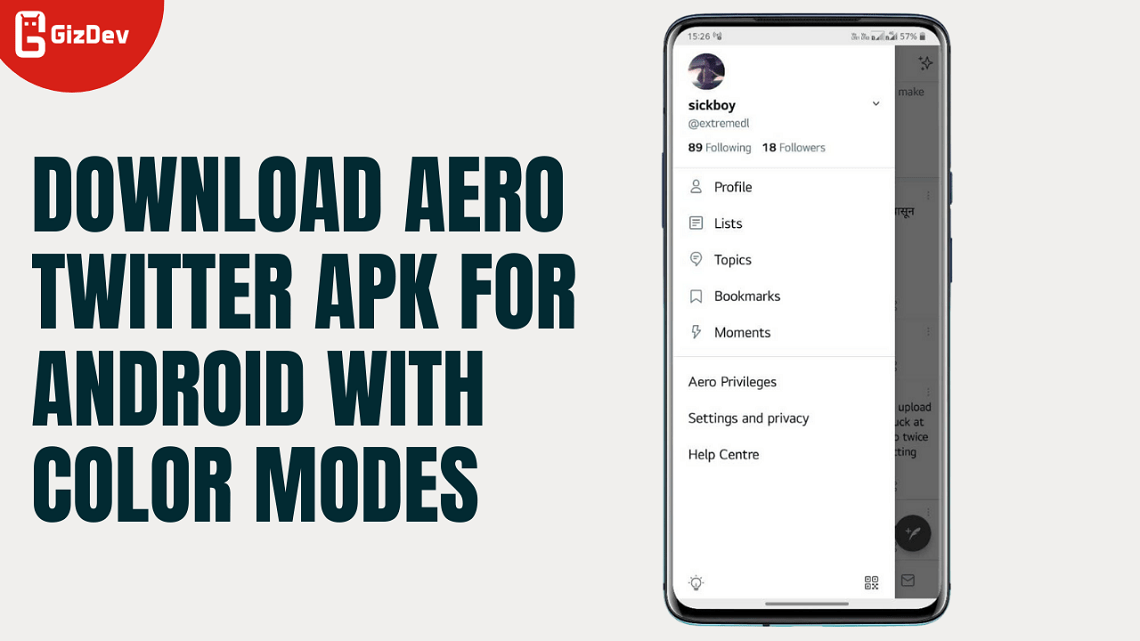
After the Instagram Aero MOD APK, the Aero developer has now released the AeroWitter Aero Twitter APK for Android. It has been released with different color modes, which you can install and use on your Android smartphone easily. There are some mod features that you will get to know in this post. The name of this MOD is AeroWitter APK X Mod App for Android smartphones.
There are lots of modded apps available right now. That’s the beauty of Android. So we have posted lots of MODs which are very much popular. Like Yo WhatsApp mod, GB WhatsApp, and FM WhatsApp. The most popular FM WhatsApp and AeroWitter X Mod App are used by lots of users and I use them a lot too. The AeroWitter APK for Android is not that customizable and rich with options like Insta, etc. All credits go to the AERO APPS developers and the hard work, the time they gave developing these MOD APKs. So, what’s new in this Aero Twitter APK FOr Android? Let’s find out.
Features of X Mod App by AeroWitter
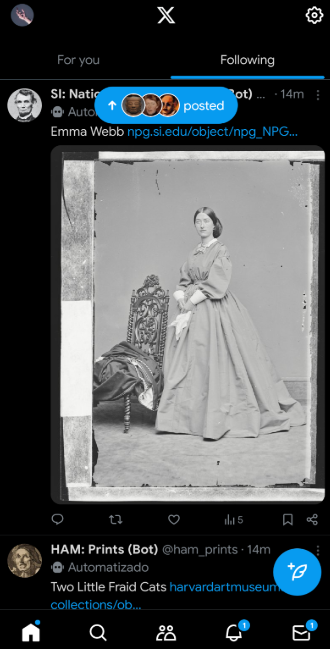
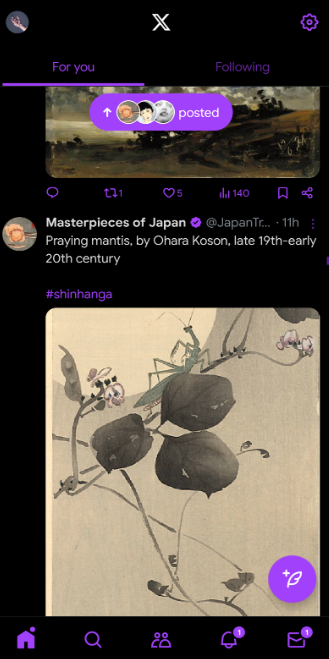
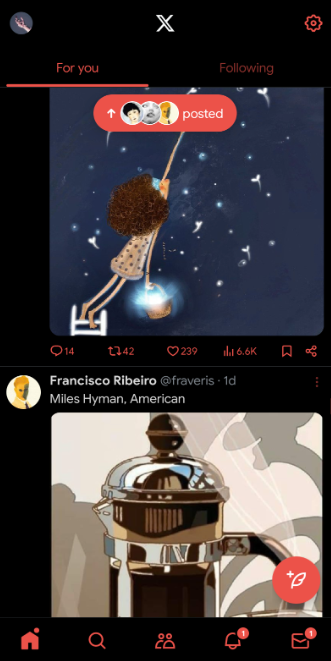
AeroWitter is an app that gives you additional features that help you have more power in what you do with your Twitter timeline, such as downloading videos/selected photos/GIFs and selecting colors for AeroWitter. The X Mod will let you download videos/photos/GIFs, and delete promoted tweets/users/trend hashtags; giving you a clean/ad free timeline. Additionally, AeroWitter allows you to disable device analysis, remove some of the tracking tools and select the theme/colors for AeroWitter Blue-Original, Gold, Red, Extra Dark, Coral Pink, Green, Light Tone, Light Purple & Light Pink.
- Added option to hide view fleet! .
- Added option to hide typing animation!.
- option to hide and read the messages!.
- Download videos/photos and GIFs.
- Disable device analysis and remove some of the tracking tools.
- ad-free timeline
- Added option to remove events in explore tab.
- Colors available – Blue-Original, Gold, Red, Extra Dark, Coral Pink, Green, Light Tone, Light Purple & Light Pink).
So, all these features are available with the AeroWitter APK for Android devices. More options can be added by the developers. Make sure to follow our social media handles for instant updates. Don’t forget to join the Telegram channel for more instant updates.
AeroWitter 4.0 Changelogs:
- Based on latest X.
- [Added-Exclusive] Option to remove fake blue ticks (Settings 》 Developer settings).
- Removes only fake blue ticks purchased with a Twitter Blue subscription.
- [Added-Exclusive] Option to change the fab style (Settings 》 Developer settings).
- When you click the FAB button will lead directly you to the tweet/text typing screen or not.
- [Added] Option to enable/disable view counts in Tweets (Settings 》 Developer settings).
- [Added] Guide button for other developer options (Settings 》 Developer settings).
- [Added] Option to remove account suggestions (Settings 》 General).
- [Added] Option to remove topic suggestions (Settings 》 General).
- [Added] Option to remove "More Tweet" box (Settings 》 General).
- [Added] Option to remove video suggestions box (Settings 》 General).
- [Added] Option to remove live contents (Settings 》 General).
- [Added] Option to disable "t.co" redirect (Settings 》 General).
- [Added] Option to remove sensitive media warnings (beta) (Settings 》 General).
- [Improved] Ads/promoted blocker.
- [Improved] Added new designs to the button design.
- [Improved] settings and Twitter colors work more synchronized.
- [Improved] In this version, the Twif* module published by Nullptr is integrated into with the LSPatch tool.
Screenshots




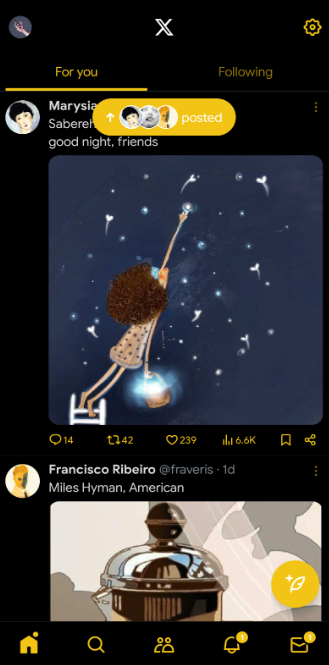
Downloads AeroWitter APK File
There are basically two versions of this mod. The Uncloned version you cannot use official Twitter with this version. The other cloned version can be used alongside the original Twitter App. So download according to your preference.
NOTE FROM DEVs,
If you are using a version of AeroWitter lower than V3.0, you will need to uninstall the AeroWitter you are currently using and then install the new version to upgrade to the new AeroWitter version.
New – AeroWitter V3.0 – UNClone | AeroWitter V3.0 – Clone
The cloned version will be updated soon!! For more colored versions, visit the Official Developer site.
How To Install Aero Twitter X Mod APK:
- Download the Aero Twitter APK MOD file and copy it to your external SD card or internal storage.
- If you are installing the APK for the first time, then enable unknown sources from security settings.
- Install the APK and open it.
- Enjoy the customization.
If you like the post Don’t forget to share it. If you have any problems, then you can message us on our official Facebook page GIZDEV. Also, comment on your query in the comment box below. Follow our Instagram page to know about our announcement about giveaways.
Final Thoughts
For users looking to upgrade their X App with practical features (such as video/photo/gif downloads, ad/promoted removal, and multiple color schemes) while providing a simple user-friendly experience, AeroWitter is a great X MOD Choice. With recent updates, AeroWitter has also added additional “power-user” features (i.e., fake blue ticks removal, FAB modification, etc.) that will allow users to customize their experience in ways they cannot using the native client.