

Do you like the Samsung Keyboard and want to use it on your smartphone? So here is the Latest Samsung Keyboard APK for Android Phones. Many users like Galaxy devices for their UI and the stock apps of Samsung Galaxy devices, but you can’t afford a Galaxy device; however, you can install their apps on other Android devices. We have already posted Samsung Stock apps from Galaxy S9; now we are going to post the Keyboard app for other Android devices.
To install the app on another Android device, the minimum requirement is Android 14. All the other phone users can install the APK provided below to install. Also, Samsung users who didn’t get the update can install it too. So head below and download and install this Keyboard APK. Just before that, let’s know its features. This Samsung Keyboard APK is extracted from the New Samsung Galaxy S24 ONE UI. You can use this keyboard on your Android Device, supported by Android 10 to Android 14.
Related – Additional 100 New And Unique Gboard Themes For Android
Features
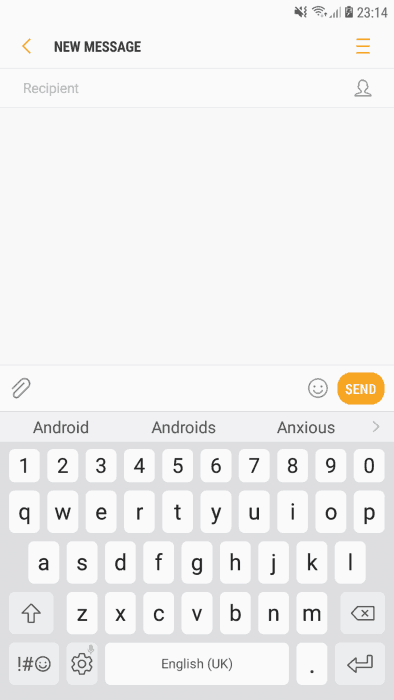
- Word-to-word suggestions are available
- Swipe supported
- A persistent number row is on top for easy access
- Emoji included
- Simple UI
Download Samsung Keyboard APK
How To Install The Keyboard
- Download the Samsung Keyboard APK file and copy it to your external SD card or internal storage.
- If you are installing the APK for the first time, then enable unknown sources from security settings.
- Install the Samsung_Keyboard_.APK and open it.
- To set it as a default keyboard on other smartphones, just head to it.
- Settings–>Language and Input and set the Keyboard as the default.
- Or download the flashable zip file and install it via TWRP Recovery.
Recommended For You:
- Guide To Enable Multi Language on Samsung Galaxy Devices [Root Need]
- [App] Prisma Editor Option In Your Android Mobile With Prisma Apk
- How To Root Samsung Galaxy ON 5 SM-S550TL (Working Method)
- How To Increase Keyboard Height In Google Keyboard
Done, if you like the post, don’t forget to share it. If you have any problems, then you can message us on our official Facebook page, GIZDEV. Also, comment on your query in the comment box below.





Clickbait and misleading title. The Samsung keyboard app is not working to “Any” android but for Samsung only. If you will put “Any Android” to your title make sure that it’s really working to “other” android as well.
Doesnt work on Redmi devices! these misleading posts completely jeopardize the legitimacy of the team. They should be more cautious on putting up the title correctly.
Just as i thought, not wasting my time here