If you are a Satellite TV watcher and love to watch entertainment, movies, and news channels on your TV, but nowadays have no time to watch because of work pressure, then IPTV is for you. IPTV Channels can be streamed easily on your Desktop, Laptop, Android Smartphones, Tablet, and Smart TV using the Fred TV App, VLC player, and PotPlayer. You can do this while you are doing your office work or in your free time. In this Post, we will share country-wise organized 20000+ IPTV Channel m3u playlist files around the world.
Nowadays, many major telecom operators provide live TV channels via IPTV service. This delivers a huge variety of TV Channels. In India, JIO, Airtel, and other OTT platforms offer live satellite TV channels via their OTT apps. But you need a paid subscription to use their IPTV apps. But there are also many online websites and apps that provide free IPTV service. Here we’re going to share all the free and paid TV Channels in m3u playlist and how to set up Fred TV App, VLC player, and PotPlayer to watch IPTV Channels for Free.
What is IPTV Service?
Internet Protocol Television service that provides television services through the use of the same Internet protocols used for other Internet applications, rather than the traditional satellite and/or cable-based services. With IPTV, users are able to watch live television programs, using their broadband connection and any device capable of connecting to the internet. For example, you can watch on a Smart TV, Desktop Computer, Laptop, Smartphone, or Tablet.
IPTV offers many additional features, including the ability to pause and rewind programs. You can also watch multiple screens at the same time. Many telecommunications providers and Over-the-Top (OTT) providers now offer Live TV as part of their broadband or mobile data packages. There are also several IPTV Apps and Media Players available that allow you to load your IPTV Playlist (i.e., m3u file) in order to receive thousands of channels on a single device.
How to Watch IPTV Channels For Free
There are multiple communities, forums, and developers who provide IPTV Channels from different platforms and OTT services in m3u and m3u8 playlist formats. These playlist are included with various TV channels worldwide. Therefore, you can find many IPTV Channels available that suit your interests. There are many Windows, Android, macOS, and IPTV Apps available where you can import m3u and m3u8 playlist and watch satellite TV channels on your PC, Smartphone, and Smart TV for Free.
In this post, we will share IPTV m3u, m3u8 playlist files around the world, and we will update regularly. We will share indian satellite TV Channels, USA Channels, Russia Channels, China Channels, Europe Channels, Asian IPTV Channels in m3u playlist format. Not just that, we will also share methods for playing IPTV Channels on Fred TV, VLC Player, and PotPlayer. This gives you an extensive range of IPTV Channels to explore.
Download IPTV Channels Playlist in m3u, m3u8 Format
In this list, you can download the updated 2026 IPTV Playlist for Worldwide, India, USA, Russia, China, Europe, Asia, Africa, Oceania, and Islamic Countries Satellite TV channels. Whether you are looking for news, sports, or entertainment, there are IPTV Channels for everyone. And you can play these playlist on IPTV Players like Fred TV, VLC Player, and POT player.
UPDATE:- 7/2026
| County List | Download Link | No of Channels |
|---|---|---|
| All Channels V1 | Worldwide_2026_v1.m3u | 20000+ |
| All Channels V2 | Worldwide_2026_v2.m3u | 30000+ |
| India v1 | INDIA_2026_V1.m3u | 550+ |
| India v2 | INDIA_2026_V2.m3u8 | 600+ |
| USA | USA_V2.m3u | 1000+ |
| Russia | Russia_V2.m3u | 280+ |
| China | CHINA_V1.m3u | 170+ |
| China V2 | CHINA_V2.m3u8 | 300+ |
| Europe Countries | Europe_IPTV_V2.m3u | 1400+ |
| Asian Countries | Asia_IPTV_V2.m3u | 520+ |
| Islamic Countries | islamic_countries_v2.m3u | 660+ |
| Africa Countries | Africa_V1.m3u | 350+ |
| Oceania Countries | Oceania_IPTV.m3u | 60+ |
You can also visit these websites to get the latest m3u, m3u8 Playlist File – Link1 |Link2 | tv.piperagossip.org | LINK3 | LINK4. Many of these resources provide extensive lists of IPTV Channels from various countries and genres.
How to Play and Watch IPTV Channels m3u, m3u8 Playlist on Fred TV
Fred TV, developed by Fredolx . Fred TV is an organised IPTV player; it organises channels by genre and generates TV channel logos. This app is available for both Windows and Android. Moreover, it supports playback of a huge variety of IPTV Channels. Therefore, you can watch on your desktop, laptop, Smartphone, and Android TV for Free.
Download Fred TV
- Windows – Fred.TV_1.9.1_x64_en-US.zip
- IPTV Android App – Fred_TV_v1.4.1.apk
- Mac OS – Fred.TV_1.9.1_universal.dmg
- Ubuntu – Fred.TV_1.9.1_amd64.deb
- GitHub – open-tv | fred-tv-mobile
Play IPTV Playlist on Fred TV
- First, install VC++, the .NET Framework runtime on your pc.
- Download and install the Fred TV Windows App by running “Fred.TV_1.9.1_x64_en-US.msi” and following the steps.
- Download the m3u, m3u8 Playlist from the download section and run Fred TV from the start menu.
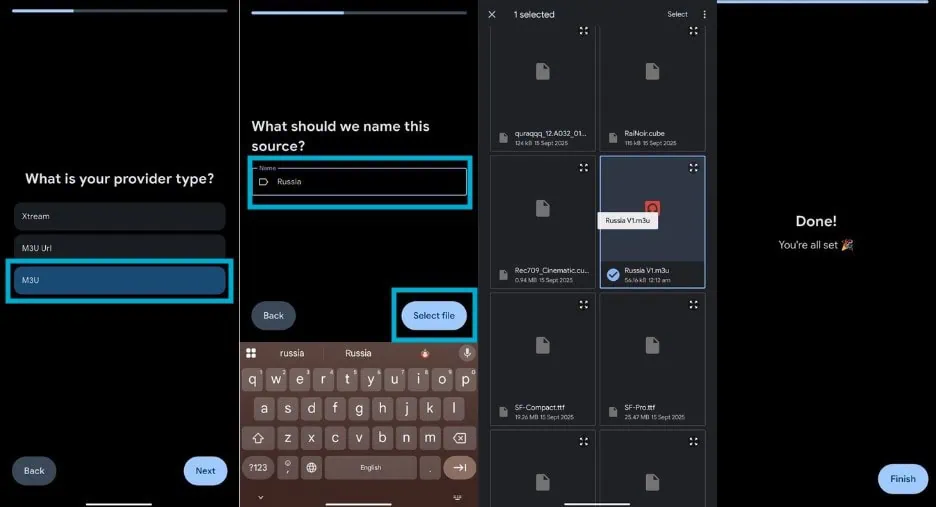
- Import m3u, m3u8 Playlist file by setting the playlist name and Select the File.

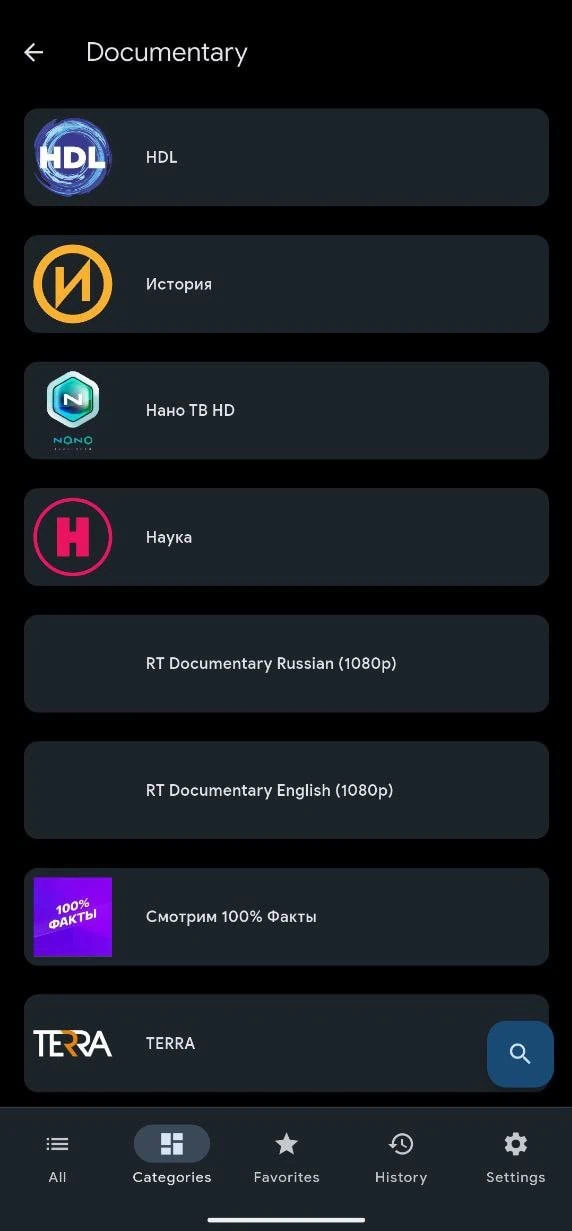
- Now select the Category and genre, or search for the TV channel in the search box.

- Now select and play the TV channel.

- You can pause, rewind, select an audio track, or turn on full-screen mode from the options below.

- You can import more Playlist files from the Settings icon “Add Source Button”.
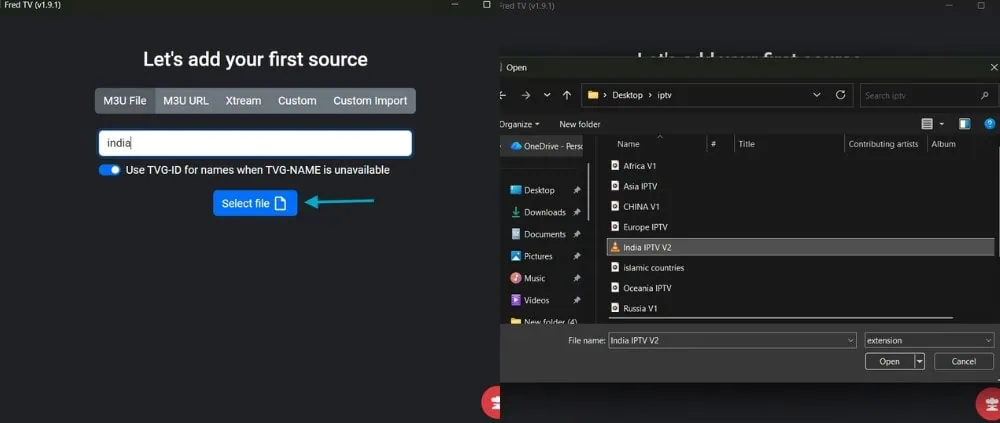
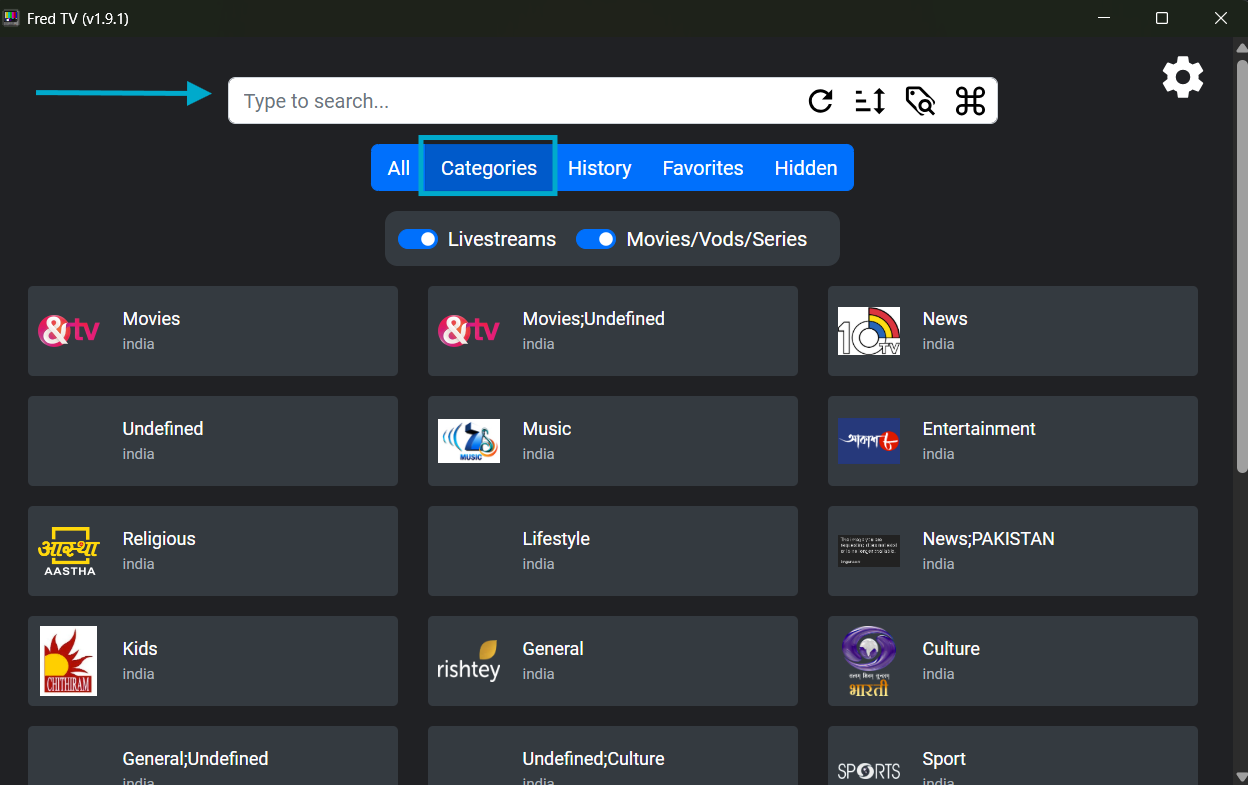
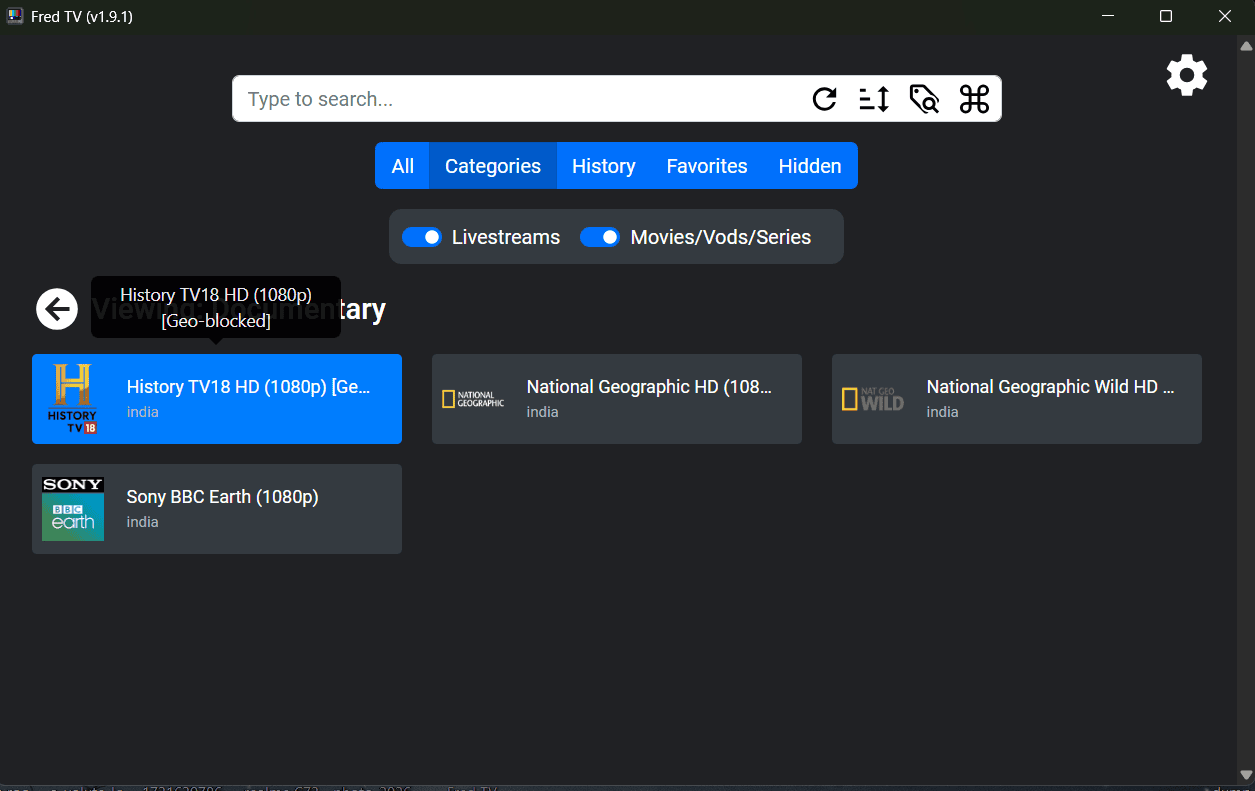

Fred TV Android Guide
- Download Fred TV IPTV Android APK file from the Download section and install it on your Smartphone or Smart TV.
- Download the m3u, m3u8 Playlist file on your Smartphone or TV.
- Open the Fred TV App, tap next, and import the Playlist file by selecting the M3U File ➝ Set Source name ➝ Select m3u, m3u8 file and tap finish.

- Now select the Category and genre, or search for the TV channel in the search icon.

- Tap on the channel to watch. You can pause, rewind, select an audio track, or turn on full-screen mode from the options below.


How to Play and Watch IPTV Channels Playlist on POT and VLC Player
- Simply download the playlist file on your Windows or Android device and get access to hundreds of IPTV Channels instantly.
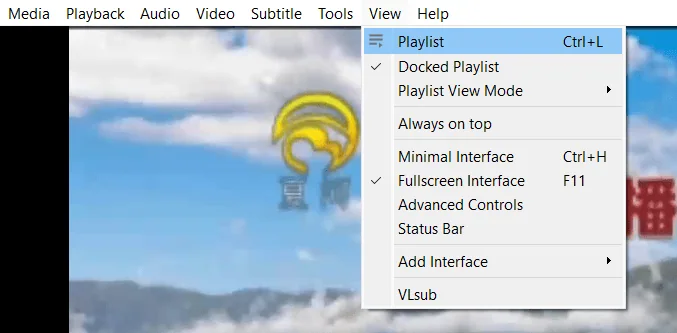
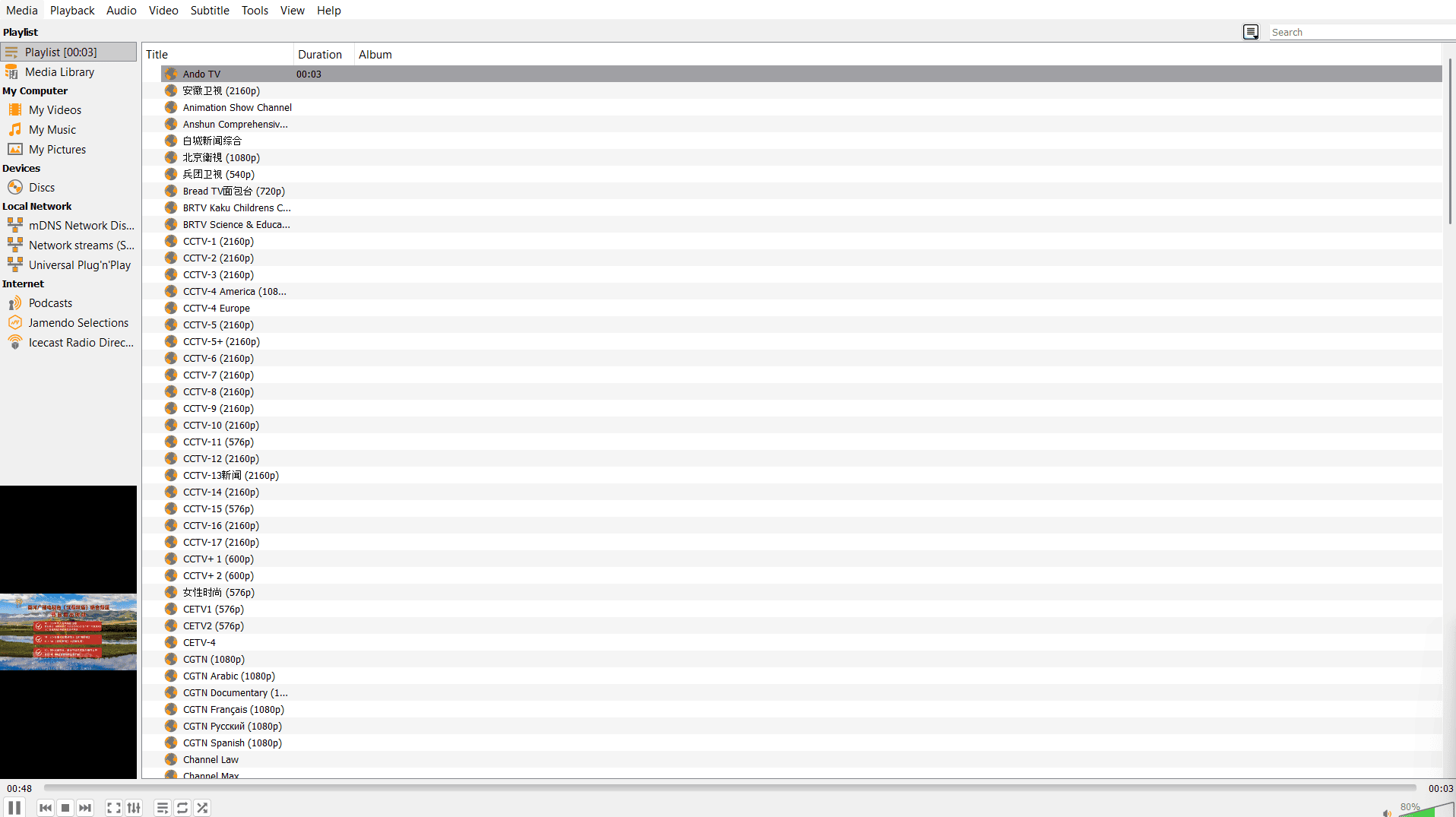
- For VLC, open the File with the VLC player and select the satellite Channel from View ➝ playlist. By using VLC, you can easily switch between different Channels with just a few clicks.
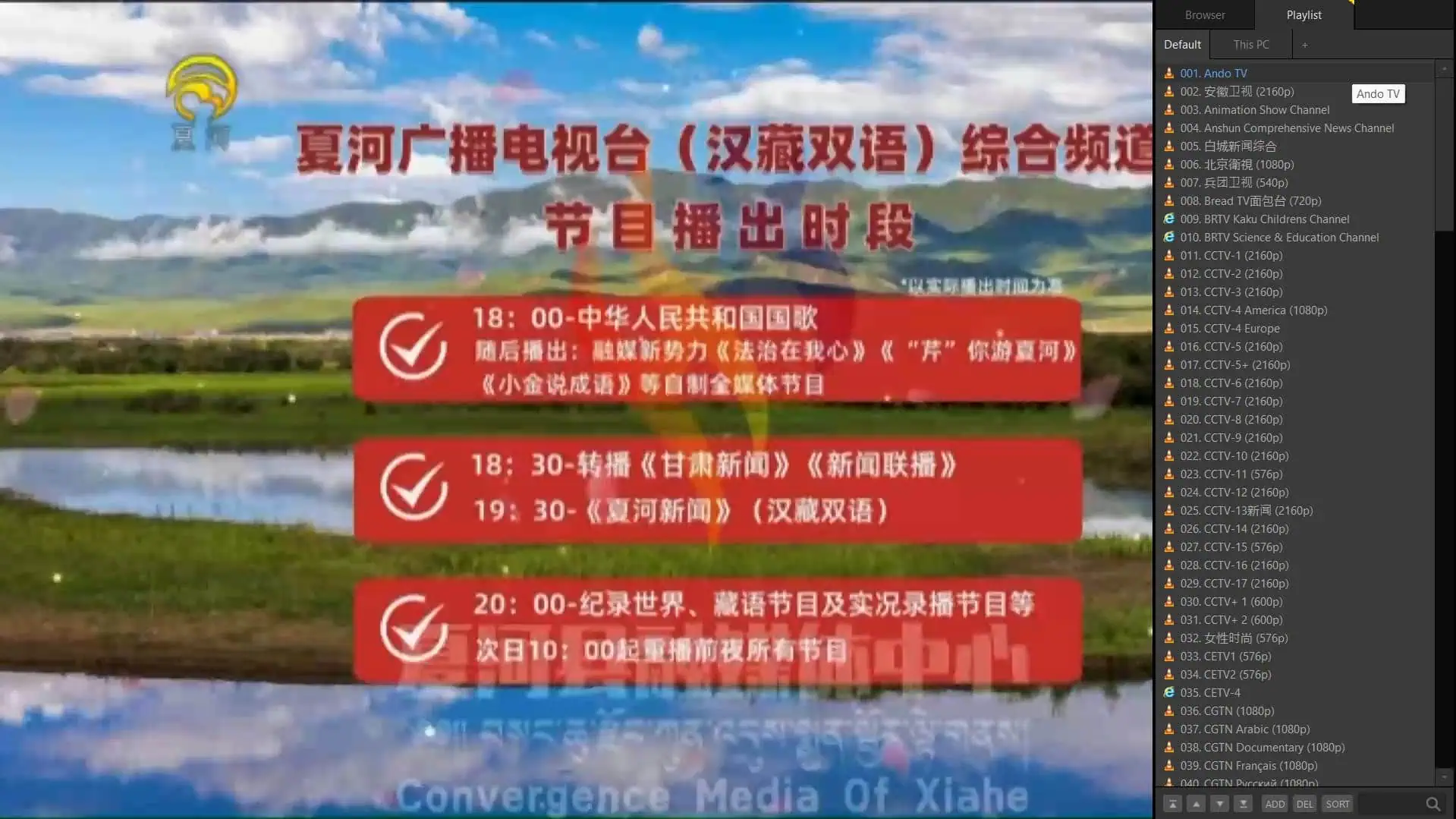
- For the Pot player, open the m3u, m3u8 file and select the satellite Channel from the Right side. Potplayer also allows you to sort your IPTV Channels for easier browsing.
Final Thought
IPTV is an open source technology that offers a new, flexible way for viewing global live television broadcasts anywhere in the world using any type of device. With the appropriate m3u playlists and media players such as Fred TV, VLC and PotPlayer, it’s easy to create your very own robust and flexible on-demand channel portal that does not rely upon the typical cable and/or satellite (DTH) services for broadcasting.